The short answer
A TV can feed a DAC in exactly one of two ways: over its optical (TOSLINK) output, or over HDMI ARC/eARC through an HDMI audio extractor — because no stereo DAC here has an HDMI socket. Optical is the cheaper route and needs nothing extra beyond the cable. Whichever you use, the TV must be set to send audio out on that socket and set to PCM as the digital audio format; a stereo DAC cannot decode a Dolby or DTS bitstream. On September 19, 2026 the cheapest box in our catalogue that takes a TV optical cable and outputs to a speaker amp or powered speakers was the Fosi Audio K5 Pro at CAD 99.99, and the cheapest line-level option was the S.M.S.L SU-1 at CAD 108.99.
1. The two TV settings that decide whether anything comes out
This is the part that fails, not the DAC. A TV has a separate menu for where the sound goes and what format it is sent in, and both have to be right:
- Audio output / sound output → select Optical, Digital Audio Out, or HDMI ARC (whichever socket you are using). If the TV is still set to its internal speakers, the socket stays silent.
- Digital audio format / digital output → set it to PCM. Manufacturer support guidance for optical and HDMI-ARC devices is explicit: PCM is the format that works with a stereo destination, and Dolby Digital, Dolby Digital Plus, DTS, Bitstream, Auto and Pass Through are the settings to move away from when they stop the device receiving audio.
The menu names and paths differ per brand — Samsung puts it under Sound → Expert Settings, LG under Sound → Sound Output → Digital Sound Output, Sony under Display & Sound → Audio Output → Digital Audio Out, and TCL, Hisense, VIZIO, Philips, Panasonic, Sharp and Insignia each have their own wording. The brand-by-brand list in the sources names the exact path for each, and it is worth reading before you conclude the DAC is faulty.
One consequence worth knowing before you buy: because the cable carries a stereo PCM signal, this route gives you two channels. It is the right purchase for TV into a stereo amplifier, powered speakers or headphones. It is not a route to 5.1 surround, and a stereo DAC cannot decode the multichannel formats in the first place.
2. HDMI ARC versus optical: what actually changes
If your TV still has an optical output, use it. One cable, no extra box, and the DAC does the conversion. Check the back panel — many current TVs (especially smaller and mid-range models) still ship the TOSLINK socket, but some models have dropped it, and a TV with no optical socket changes the whole plan.
If the TV only offers HDMI ARC/eARC, you need an HDMI audio extractor. An ARC extractor sits between the TV's HDMI-ARC port and the TV's other HDMI sources and outputs the audio as optical (S/PDIF) or as analogue stereo, which you then feed into the DAC or straight into an amplifier. Three things to check before buying one:
- ARC or eARC support. An ARC-only extractor will not necessarily pass an eARC signal. Match the extractor to the port the TV describes.
- Which output it gives you. Some models output optical, some analogue RCA, some both. Buy the one that matches the input your DAC has.
- Volume and lip-sync behaviour. Volume control over CEC through an extractor is not guaranteed, and lip-sync correction does not exist on every model. If the TV's remote volume must keep working, that is the specification to verify with the seller before ordering.
Two things that are not routes into a DAC: a TV's USB port (usually for service or media playback, not audio output to a converter) and the HDMI socket directly (no stereo DAC here takes HDMI). Bluetooth transmitters from the TV's optical socket exist and remove the cable, but they add their own latency and compression stage — a different product for a different problem.
3. What it costs in Canada today
Every figure below was read from the live Amazon.ca listing on September 19, 2026, including the brand field and the stock line. Prices in this category move; treat these as dated snapshots, not standing prices.
| Model | Price (CAD) | Seller shown on the listing | Inputs that matter for a TV | Output to the rest of the system | Stock on Sept 19 |
|---|---|---|---|---|---|
| Fosi Audio K5 Pro | 99.99 | Fosi Audio, ships from Amazon | Optical, coaxial, USB-C | RCA line-out and a 3.5 mm headphone socket | In stock |
| S.M.S.L SU-1 | 108.99 | LEAUDIO, ships from Amazon (brand field reads “Fanmusic”) | Optical, coaxial, USB-C | RCA line-out only — no headphone socket | In stock |
| FiiO K11 | 211.77 | Not named — the offer is flagged as a US import with import charges included, and a “New (3) from” block sits below it | Optical, coaxial, USB-C | RCA line-out; 6.35 mm and 4.4 mm balanced headphone outputs | In stock |
| TOPPING DX5 II | 419.00 | AOSHIDA AUDIO-CA | Optical, coaxial, USB, Bluetooth | RCA and balanced XLR line-out; three headphone outputs | Only 7 left in stock |
| FiiO K13 R2R | 429.99 | Not named on the page (seller account shown only in the delivery link) | Optical, coaxial, USB-C, Bluetooth | RCA and balanced XLR line-out; two headphone outputs | Only 2 left in stock |
The two cheapest entries split by what sits downstream. The K5 Pro is the one that can also drive headphones directly and gives you a line-out for an amplifier — its microphone socket, though, works over USB only and not in optical or coaxial mode, so a TV-only purchase should ignore that feature. The SU-1 is line-level only: it is the right box if the TV feeds powered speakers or a separate amplifier and nothing ever plugs into the DAC itself.
Above them, the FiiO K11 adds balanced headphone outputs and an external power supply, and the DX5 II and K13 R2R add Bluetooth as a second input and XLR line-out for active studio monitors. Stock on both of the expensive models was thin on the check date — 7 and 2 units — which is a reason to verify the listing before committing to that route.
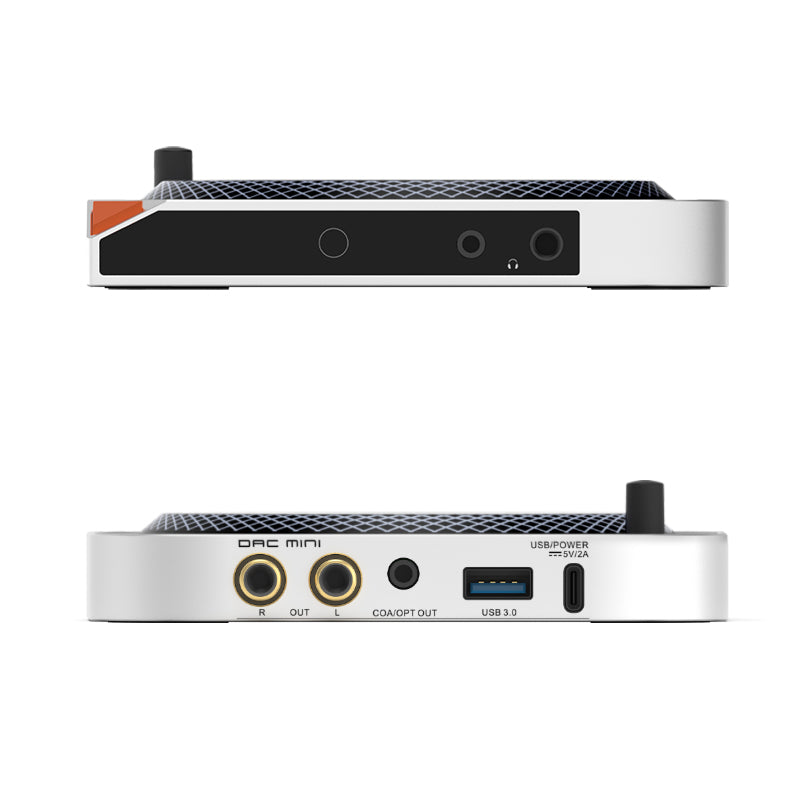
S.M.S.L SU-1 — CAD 108.99, in stock
The line-level choice for a TV: optical in, RCA out to an amplifier or powered speakers. No headphone socket, no Bluetooth, no microphone.
Read the SU-1 record
Fosi Audio K5 Pro — CAD 99.99, in stock
Optical and coaxial inputs, RCA line-out, and a headphone socket — the cheapest way to put a TV through speakers and headphones from one box. Sibling amp: the Fosi Audio V3 at CAD 119.99 if you need to drive passive speakers.
Read the K5 Pro record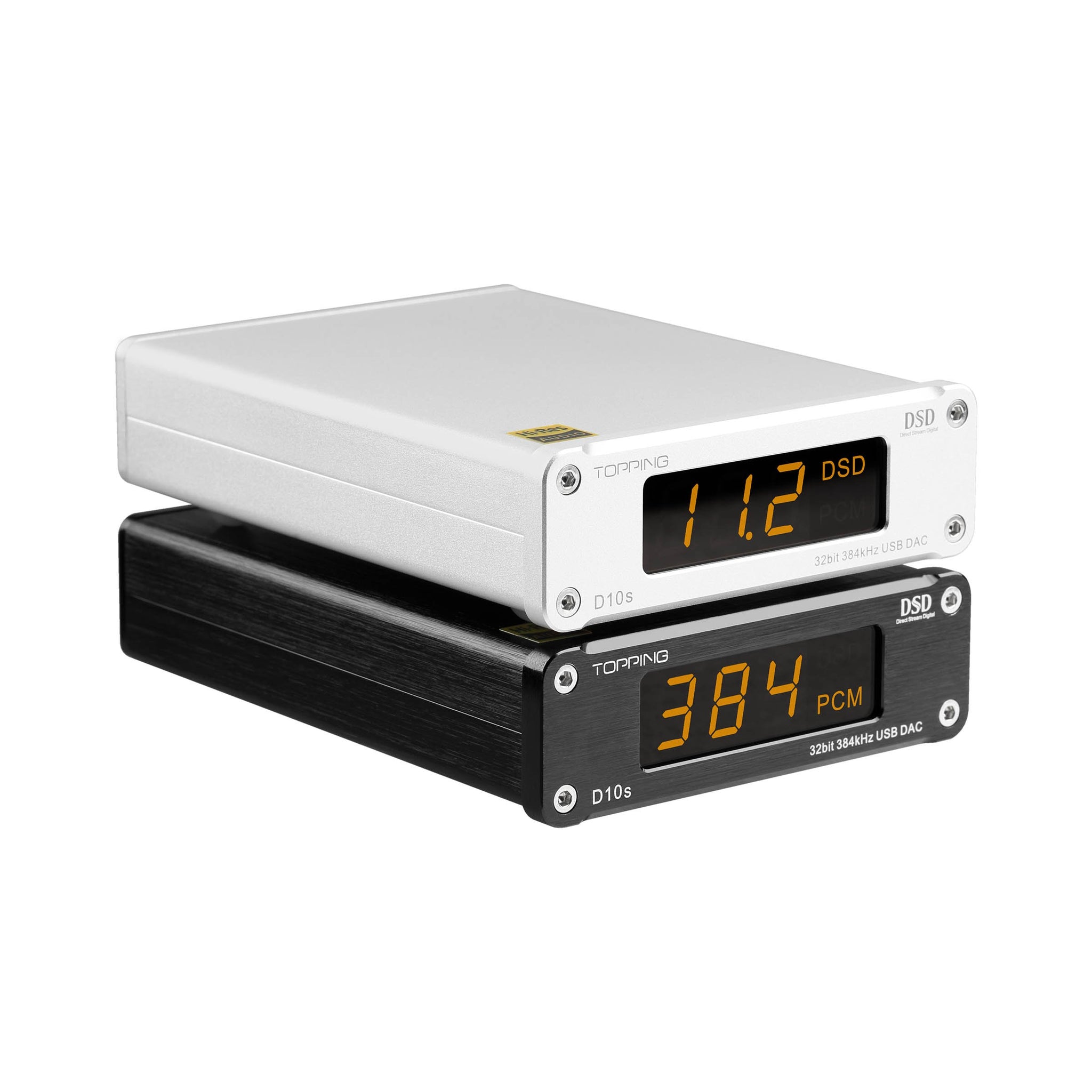
The trap in this bracket: TOPPING D10s — CAD 139.00
It is a USB DAC. Its digital optical and coaxial sockets are outputs, and its input is USB-B, so a TV optical cable cannot feed it. It appears in this bracket on price alone; do not buy it for a TV without checking the input list first.
Read the D10s record4. The whole chain, end to end
Whichever box you pick, the signal path is the same and only the socket labels change:
- TV → optical or ARC-extractor output, format set to PCM.
- Cable → a TOSLINK optical cable if you are using optical. TVs rarely include one, so order it with the DAC rather than discovering the gap on the same evening (a CAD 10–15 cable, not a CAD 100 one).
- DAC → optical or coaxial input selected on the front panel or remote. This is the step people forget: the input has to be switched, not just plugged in.
- RCA line-out → into a speaker amplifier, powered monitors, or the DAC's own headphone socket.
- Amplifier or powered speakers → note that the amplifiers in our catalogue are RCA/XLR-input designs, with no optical input of their own: Fosi Audio V3 at CAD 119.99, Fosi Audio ZA3 at CAD 199.99, S.M.S.L AO200 at CAD 352.00 (only 2 left on the check date). The DAC does the decoding; the amplifier only amplifies.
Where the volume lives deserves a line of its own. On many TVs the optical output is a fixed-level signal, so the TV remote does not change it and you adjust the level at the DAC, the amplifier or the powered speakers instead. Some TVs do offer a variable optical output. Check which one yours is before deciding that the setup is broken, and if you want the TV remote to keep controlling volume, that is a feature to look for in an HDMI extractor rather than in the DAC.
5. Three traps worth avoiding
Buying an output and expecting an input. The D10s above is the local example: "optical" in a specification list means nothing until you read whether it is an input or an output. On a DAC that decodes a TV you need optical in.
Assuming the TV will send stereo. If the digital audio format is left on Dolby Digital or Bitstream, a two-channel DAC can be silent or produce unusable audio. Set PCM first, then troubleshoot everything else.
Paying for surround you cannot use. A CAD 99.99–429.99 stereo DAC with an optical input is a stereo solution. If 5.1 matters, an AVR or a soundbar with the right inputs is the correct product, and no amount of spending on the stereo DAC will produce rear channels.
6. What we could not verify
- Your TV's menu. The settings exist, but the wording and the path differ by brand and even by model year; the brand list in the sources is guidance, not a guarantee for your exact set.
- Whether your specific TV still has an optical output. Only the back panel or the specification sheet answers that, and it decides which of the two routes you are on.
- ARC extractor behaviour over CEC (remote volume, device switching, lip-sync). We have not tested a specific extractor model, and it is not part of our catalogue.
- Anything about how any of this sounds. No listening notes, no measurements, no preference ranking on this page.
- Prices after September 19, 2026. Every figure is a single-day read, including seller and stock, and stock on the two expensive models was already thin.
Sources
Related guides: Desktop DACs under CAD 200 in Canada, Desktop DAC or headphone amp? Choose the right connections, building a home listening system for the amplifier side, and budget DAC dongles if the source is a laptop rather than a TV.
- Amazon.ca listings for the Fosi Audio K5 Pro (B0BFHFSX4C), S.M.S.L SU-1 (B0C1Y7C9HH), FiiO K11 (B0FVCYK3TL), TOPPING DX5 II (B0FCS2S3V1), FiiO K13 R2R (B0FQ4SVMGY), TOPPING D10s (B08CTZWX97) and the Fosi Audio V3, ZA3 and S.M.S.L AO200 — price, brand field, seller and stock line, read September 19, 2026.
- Manufacturer specifications for the models above as recorded in our catalogue — input and output lists (optical, coaxial, USB, RCA, XLR), headphone outputs and power supply. Checked against the listings on September 19, 2026.
- Avantree support, Brand-by-Brand TV Optical/Digital Audio Settings Guide (Set to PCM) — the PCM requirement for optical and HDMI-ARC connections, the formats to move away from, and the per-brand menu paths for Samsung, LG, Sony, TCL, Roku TV, Hisense, VIZIO, Philips, Panasonic, Sharp, Insignia and Amazon Fire TV. Read September 19, 2026.
Prices and stock are dated snapshots and change without notice. Nothing on this page is a statement about how any product sounds.